Product tour
Follow one job through the shop
Software demos love feature lists. Shops run on jobs. Here’s how a single repair moves through Service Dock — from the first call to the paid invoice.
Step 1 — Book it
Intake and scheduling without the phone-tag
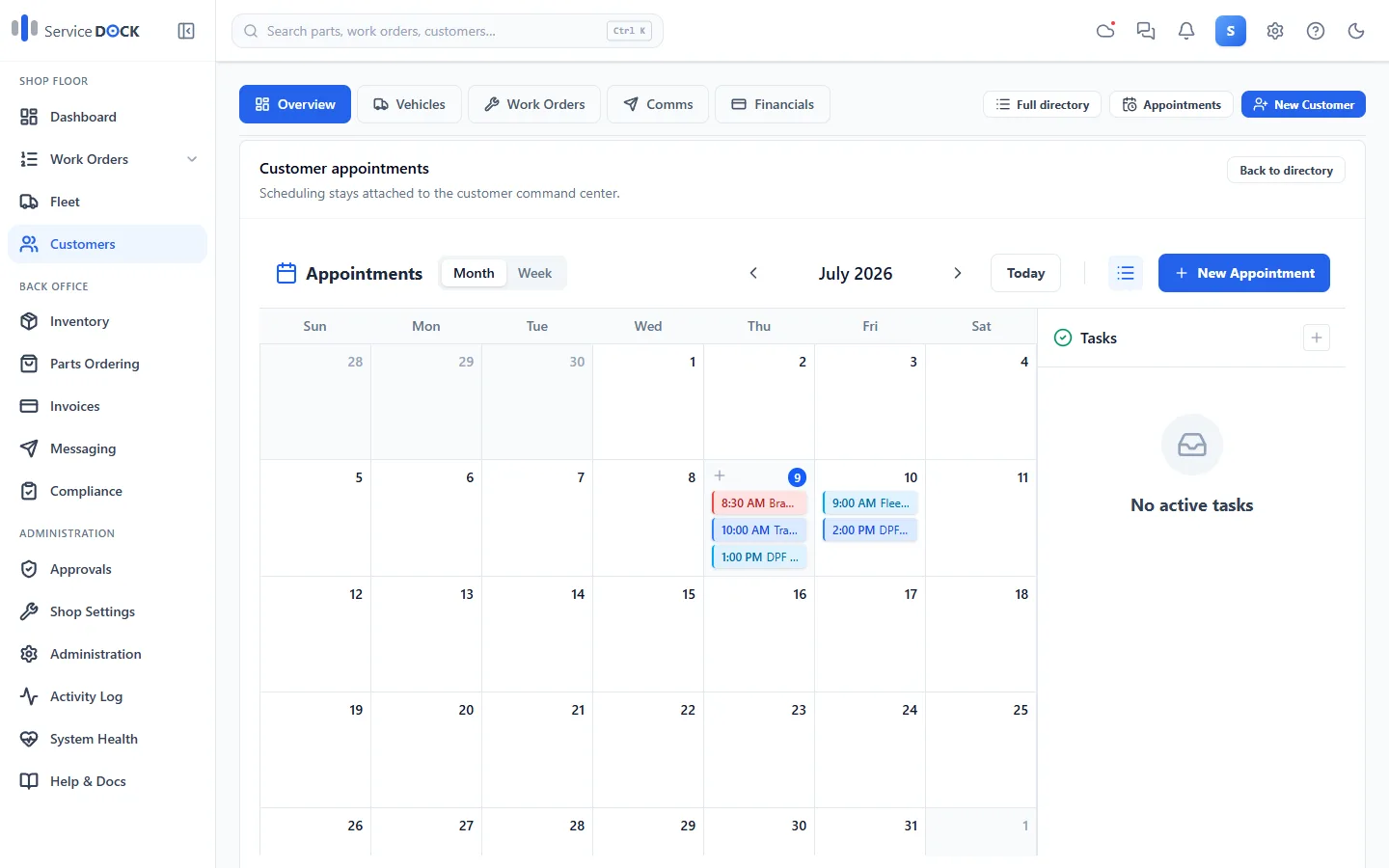
Calls, walk-ins, and fleet drop-offs land on one calendar. Look up the customer, pick the unit — VIN decode fills in year, make, and model — and the job has a home before the truck hits the lot.
- Appointments calendar attached to the customer record
- Customer and unit lookup with full history
- VIN decode and license plate on file
Step 2 — Write it up & get the OK
One board your whole shop can trust
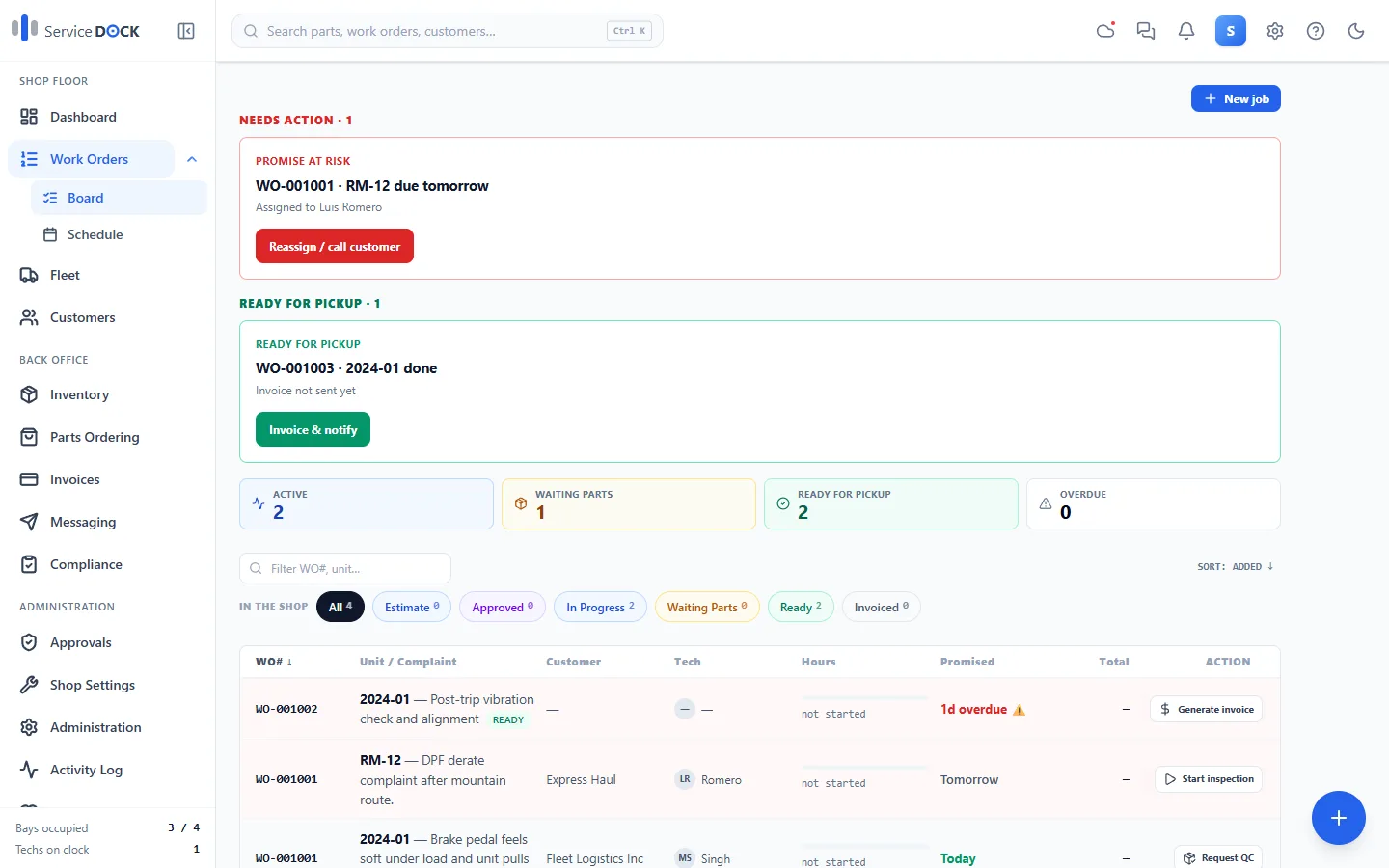
Every job gets a number, a status, and a next action. The board flags promise dates at risk and jobs ready for pickup — and estimates and approvals are recorded on the job, however they happen: verbal, in person, or through the customer's secure link.
- Job status and next action at a glance
- Promise-at-risk and ready-for-pickup called out
- Approvals recorded with who, how, and when
Step 3 — Parts
Inventory that follows the job
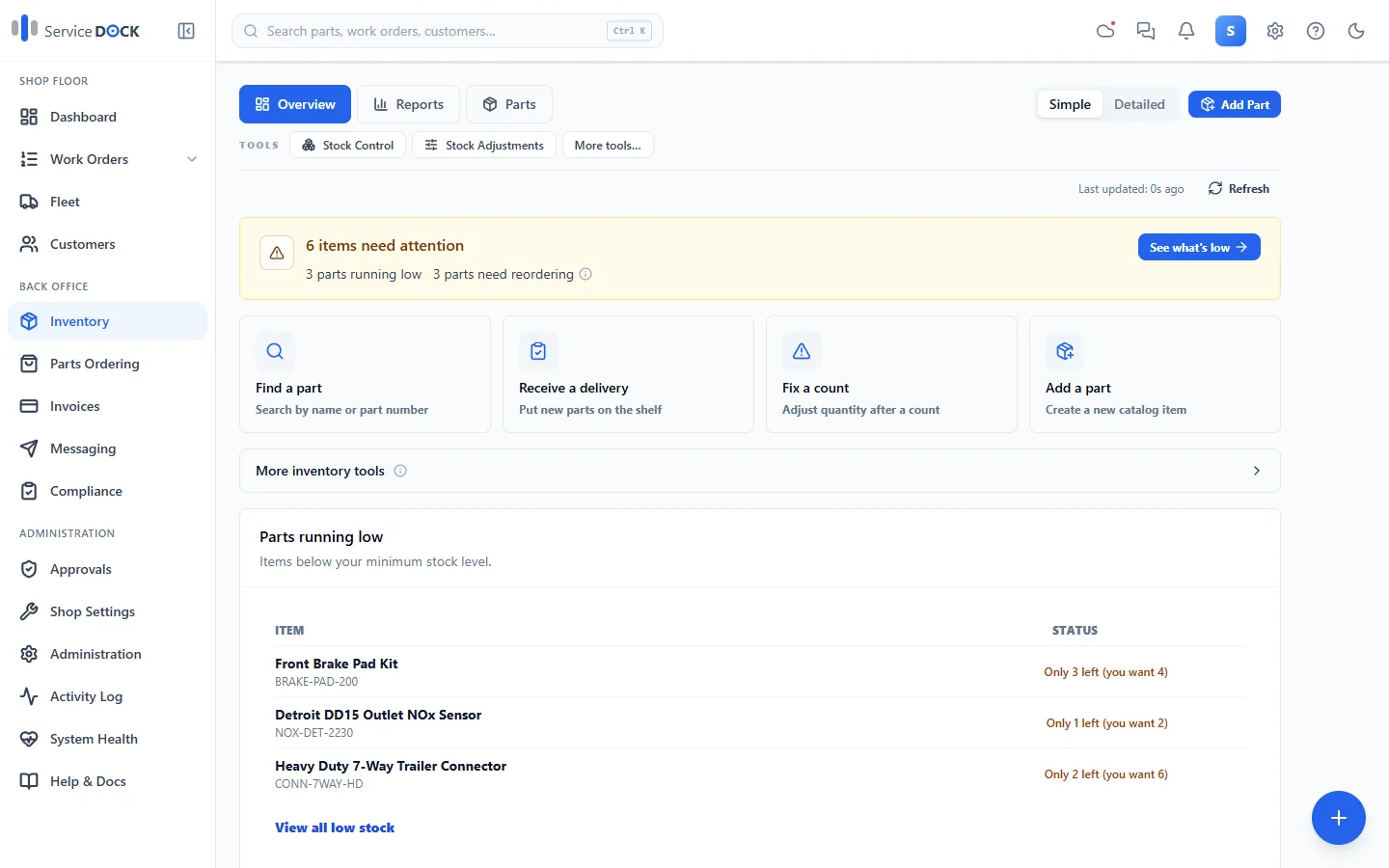
Stock levels, bin locations, and costs stay tied to the repairs that use them. When a part isn't on the shelf, raise a purchase order and see what the job is waiting on. Barcode-friendly, reorder points included.
- Stock, bins, costs, and reorder points
- Purchase orders linked to waiting jobs
- Parts usage tied back to each work order
Step 4 — Bill it
Invoices without the re-typing
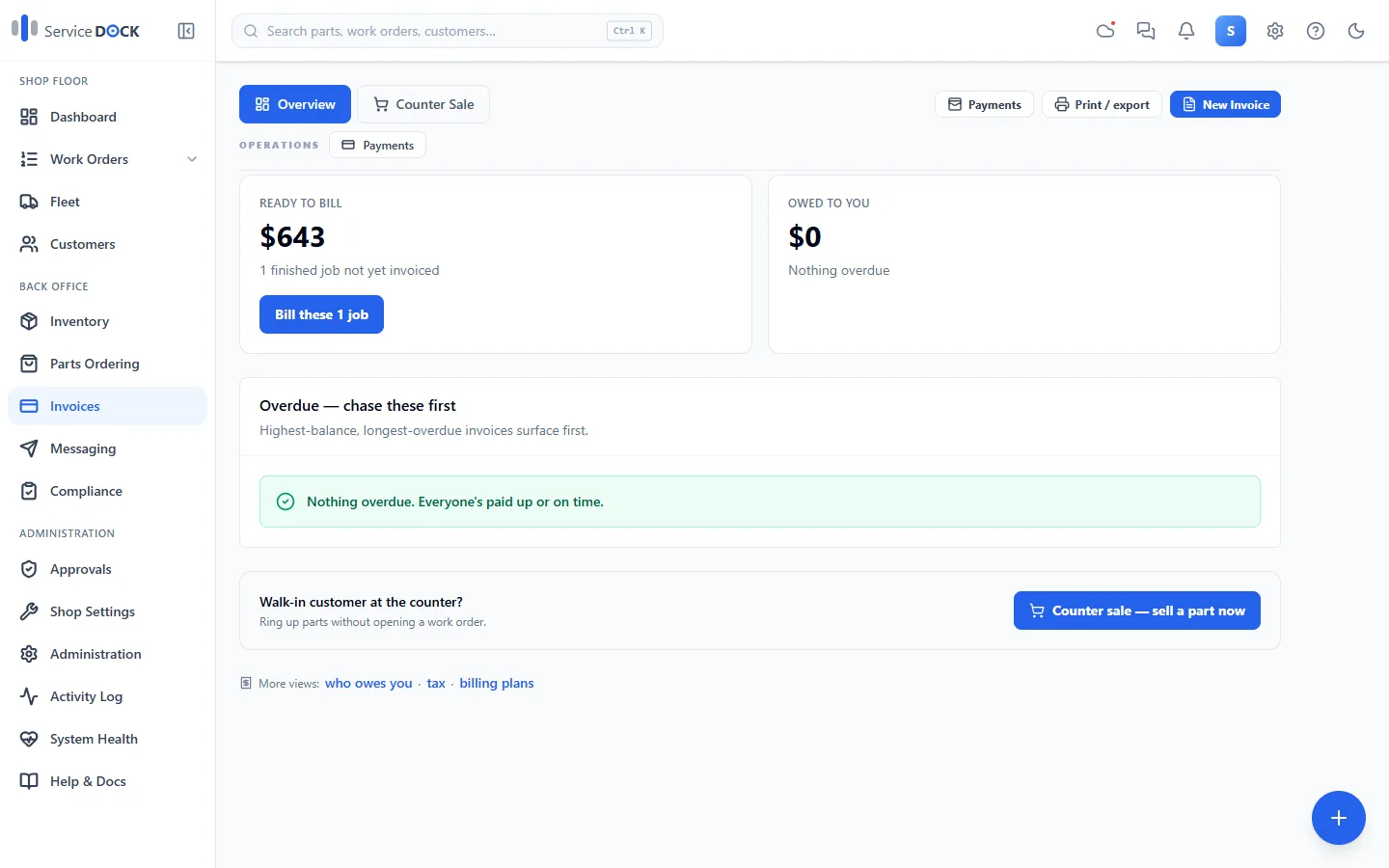
Everything on the job — parts, hours, taxes — flows to the invoice. Print or email it, take payment, and see what's outstanding. QuickBooks Online sync and card payments (Clover, Stripe, Square) are available as add-ons.
- Invoice generated from the completed job
- Payment tracking, including partial payments
- Optional add-ons: QuickBooks Online, Clover, Stripe, Square
Step 5 — Stay compliant
Inspections and compliance off the sticky notes
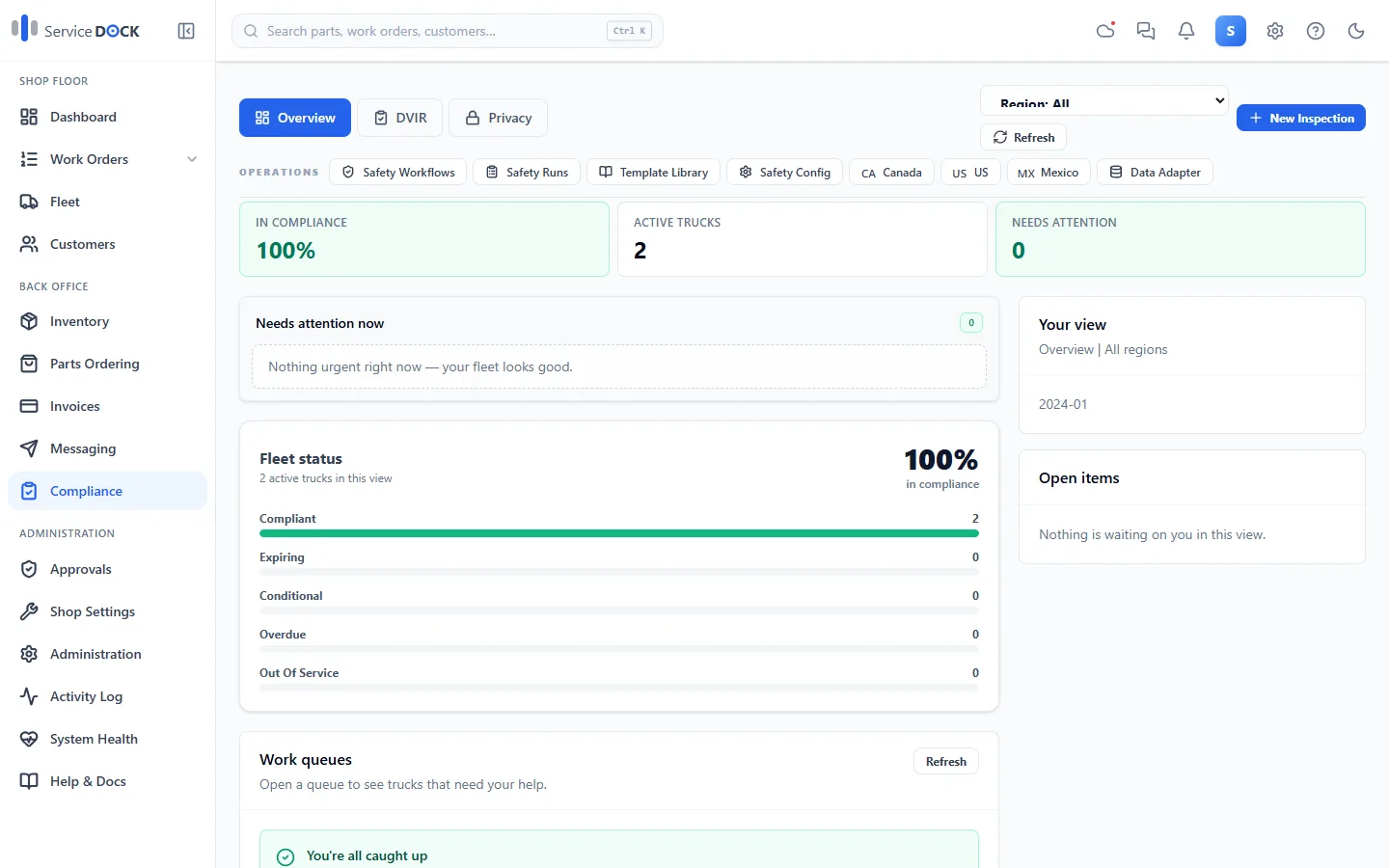
Annual inspections, defect follow-ups, and unit compliance records live with the vehicle — with reminders before things lapse. Built with US, Canadian, and Mexican jurisdiction rules in mind.
- Inspection records attached to each unit
- Reminders before certifications lapse
- Compliance tracking across the US and Canada
Step 6 — Run the day
The dashboard keeps score
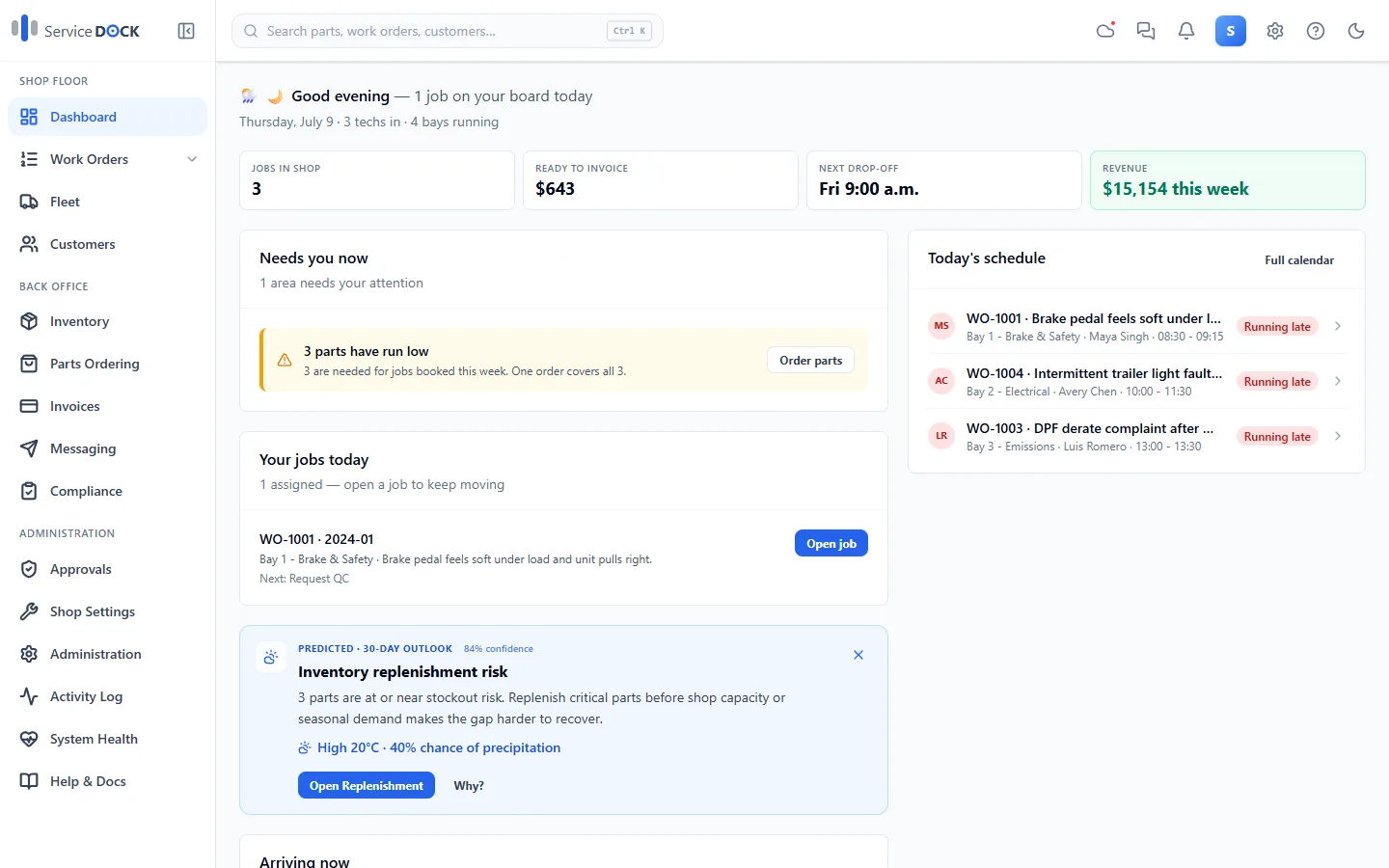
Jobs in shop, ready to invoice, next drop-off, and the week's revenue — plus what needs you now, like parts running low for jobs booked this week. The day starts here instead of on a whiteboard.
- Today's schedule with bays and techs
- Needs-attention alerts before they become problems
- Revenue and ready-to-bill at a glance
Also in the box
The rest of the system, in plain terms. Items marked “Professional plan” are part of the higher tier — see pricing for the split.
Preventive maintenance
PM schedules per unit that reset when the work is done — so the next service books itself onto your radar.
Customer messaging & reminders
Appointment reminders and status updates from the job record, with customer consent tracked.
Customer portal
Give fleet customers a secure link to see their units, job status, and approvals. (Professional plan)
Reports Center
Shop performance, technician hours, and profitability reporting. (Professional plan)
Repair knowledge assistant
Built-in searchable knowledge base with an AI assistant for repair and troubleshooting questions.
Roles and approvals
Role-based permissions, and optional manager approval on sensitive changes when your shop wants the guard rails.
Backups you control
Encrypted local backups, plus optional copies to your own Google Drive, OneDrive, or Dropbox.
Android companion apps
SD Mobile for the shop floor and SD Driver for driver defect reports, synced with the desktop.
Want to see it on your kind of jobs?
Book a walkthrough and we’ll run a job like yours through the system live — you ask the questions.